CKSP Tools
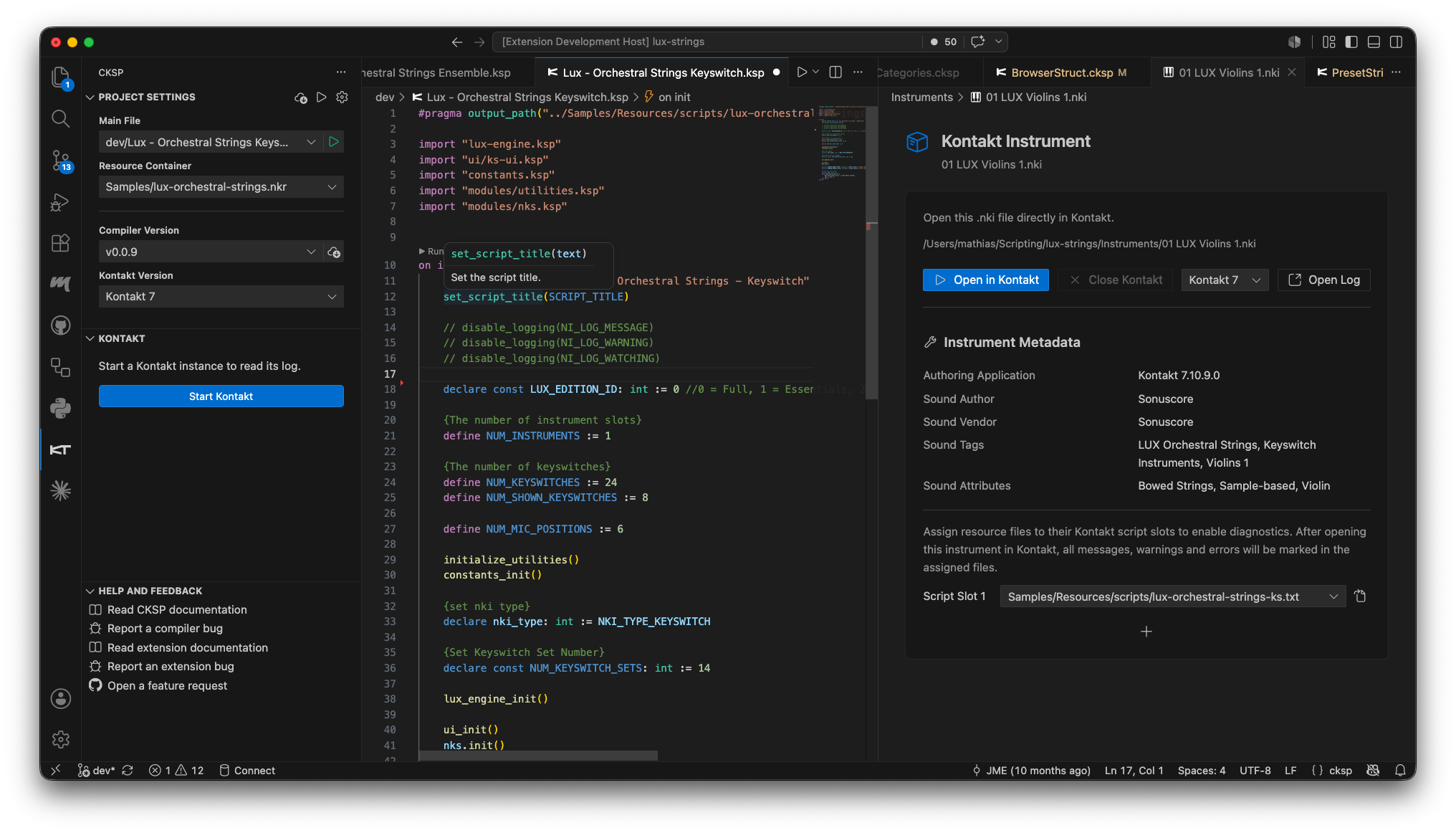
 CKSP Tools turns Visual Studio Code into a complete workspace for CKSP, KSP, and Kontakt development. Write and navigate large scripts with modern editor tooling, compile through a managed CKSP toolchain, launch Kontakt, and inspect logs and diagnostics without leaving the editor.
The extension is designed for Kontakt scripters, soundware developers, and teams maintaining complex instruments. It accepts both
CKSP Tools turns Visual Studio Code into a complete workspace for CKSP, KSP, and Kontakt development. Write and navigate large scripts with modern editor tooling, compile through a managed CKSP toolchain, launch Kontakt, and inspect logs and diagnostics without leaving the editor.
The extension is designed for Kontakt scripters, soundware developers, and teams maintaining complex instruments. It accepts both *.cksp and *.ksp workflows and produces regular KSP output that Kontakt can load as usual.
Install from the Marketplace Installation options
Requirements
CKSP Tools requires Visual Studio Code 1.87.0 or newer. Kontakt integration requires a locally installed Kontakt version; project initialization supports Kontakt 7 and newer.
A typical project loop
flowchart LR
    A[Write CKSP or KSP] --> B[Compile in VS Code]
    B --> C[Resource script]
    C --> D[Kontakt]
    D --> E[Log and diagnostics]
E --> A- Select or create a Kontakt project in the CKSP Sidebar.
- Write the script with completion, inline documentation, and code navigation.
- Compile the current file with Shift+Alt+R or the configured main file with Shift+Cmd+R on macOS / Shift+Ctrl+R on Windows.
- Write the generated output directly to
Samples/Resources/scripts/with#pragma output_path(...). - Start Kontakt and use the Kontakt Log plus VS Code diagnostics to trace issues back to the source.
New to CKSP Tools?
Start with Setup and Compiler, then continue with Language and Editor. The Kontakt chapters become most useful once your project has a resource container and an .nki instrument.
Explore the extension
-
Language and Editor
Completion, built-in KSP documentation, signature help, navigation, symbols, inlay hints, folding, and supported file types.
-
Setup and Compiler
Create a project, configure the CKSP Sidebar, compile current or main files, control output paths, and manage compiler versions.
-
Kontakt Integration
Start Kontakt, open instruments, inspect and filter logs, navigate to source, map script slots, and view Lua output.
-
Settings and Help
Reference the workspace settings, solve common setup issues, understand current limitations, and find support resources.
What CKSP Tools brings together
-
Editor intelligence
Syntax and semantic highlighting, completion, hover documentation, signatures, definitions, references, symbols, folding, and parameter hints for CKSP and KSP.
-
Compiler workflow
Compile the current file or a workspace main file, follow linked compiler errors, and keep multiple CKSP compiler versions available per project.
-
Project awareness
Store a main file, resource container, compiler version, and Kontakt version in each workspace. Resource paths and performance-view controls become editor completions.
-
Kontakt diagnostics
Filter Kontakt messages in a dedicated viewer, jump from a log row to its resource script, and surface errors and warnings in the VS Code Problems tab.
-
Instrument tooling
Open
.nkifiles in a custom editor, select a Kontakt version per instrument, and assign Kontakt script slots to resource script files. -
Kontakt file support
Work with
.cksp,.ksp, resource.txt,.nki,.nkr,.nka, and.nckpfiles from one workspace.